

Securing your backend
When using a gateway, it's important to ensure that your backend API is only receiving traffic via the gateway to be confident that your policies are being correctly applied to all traffic.
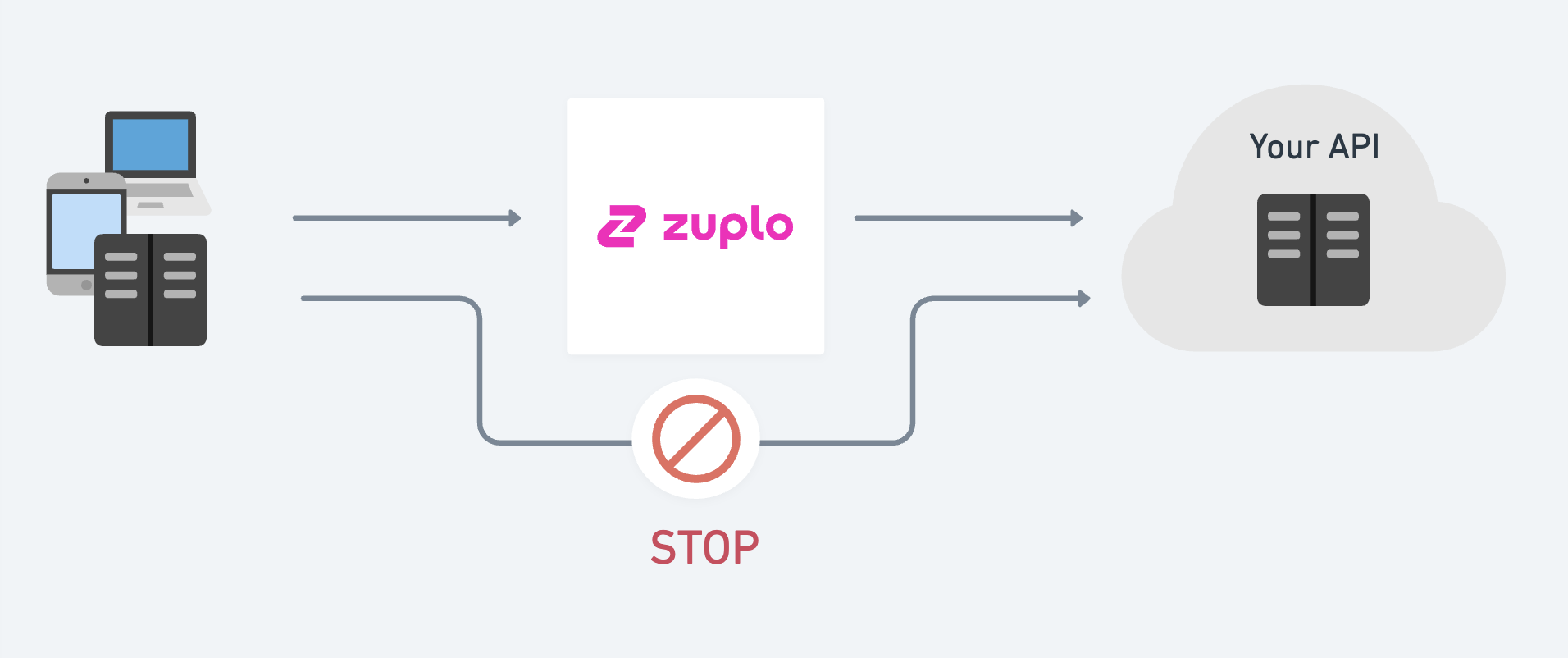
To do this, we need to secure the communication between Zuplo and your backend APIs (origin). There are several options to do this securely.
1/ Shared secret / API Key
This is the most popular option and is used by companies like Supabase, Firebase, and Stripe to secure their own APIs. In this solution the backend requires a secret that's known only by the gateway. This is usually an opaque key sent as a header on every request to the origin. Zuplo adds this to the request - the client is never aware of the secret.
Step 1: Set an environment variable
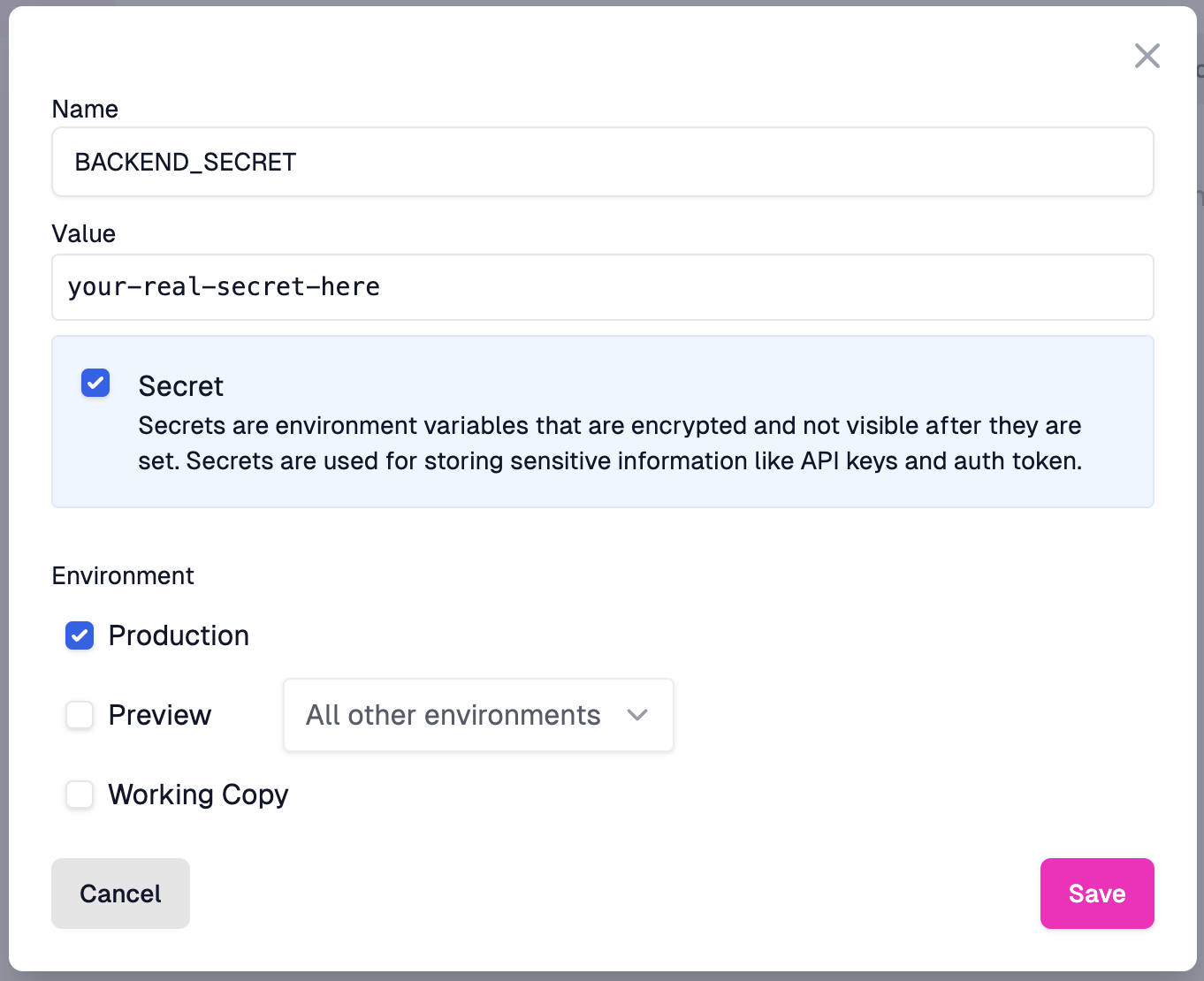
Set an environment variable in your Zuplo project. This variable is a secret that only your Zuplo project and your backend know. It is sent as a header on every request to your backend API.
Open the Settings section of your project and select Environment
Variables. Create a new variable and name it BACKEND_SECRET. Set the value
to a secure, random value. Ensure that the value is marked as a secret.
Step 2: Create a set header policy
Create a policy that sets the BACKEND_SECRET as a header on the request to
your backend API. This policy is an inbound policy that runs before the request
is sent to your backend.
Navigate to the route you want to secure and add a new policy. Select the Add or Set Request Headers policy type and configure it as follows:
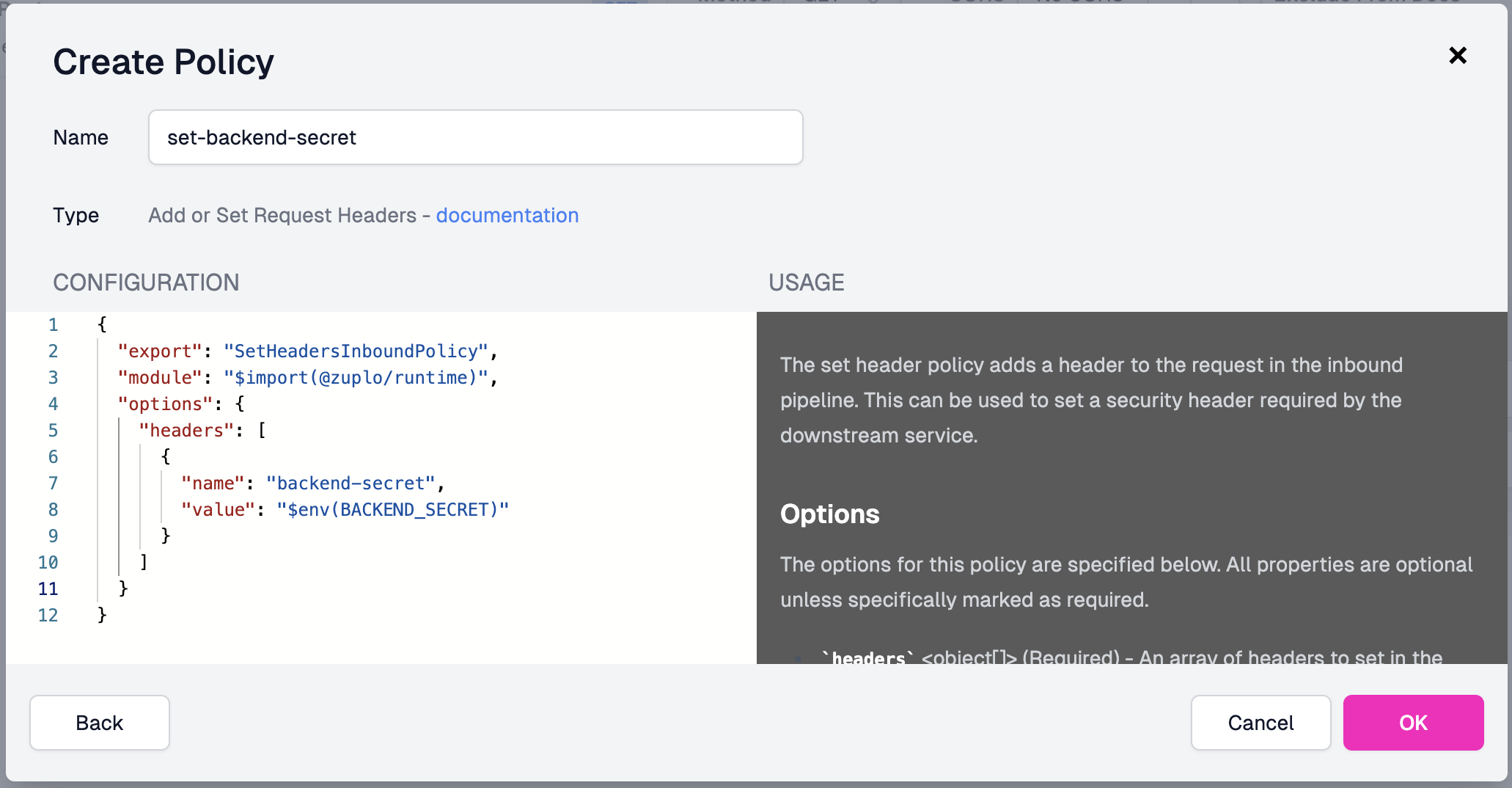
The configuration uses the environment variable via the $env(BACKEND_SECRET)
selector as shown below.
Code
Add this policy to any of the routes in your API that call your secure backend.
Step 3: Verify the secret on your backend
Verify the secret on your backend. The implementation depends on the framework and language you use, but the typical pattern is to use middleware to check the header value. If the header does not match the secret, return a 401 Unauthorized response.
An example using a Node.js Express middleware:
Code
2/ Federated Authentication
This is a new option where you can configure your cloud service (for example,
GCP or AWS) to trust a JWT token created by the Zuplo runtime. If you're
interested in using this option please contact us at support@zuplo.com.
3/ Upstream Service Authentication
Utilize the IAM controls provided by your Cloud host to secure inbound requests and allow only authorized service principals access to your service.
-
For Azure users, you can user our Upstream Azure AD Service Auth policy. This uses Azure AD App registrations to create a token that Zuplo will send to requests to Azure.
-
For GCP users, you can use our Upstream GCP Service AUth or Upstream GCP JWT policies. These use a
service.jsoncredential to create or issue JWT tokens that Zuplo will send to requests to GCP.
4/ mTLS Authentication
Mutual TLS (mTLS) authentication allows the configuration of a trust relationship between your Zuplo gateway and your backend API using client certificates. With mTLS, both your gateway and backend authenticate each other, providing a "Zero Trust" security model that's popular with enterprise customers.
To learn how to set up mTLS with client certificates, see the Securing your Backend with mTLS article. This is an enterprise feature.
5/ Secure Tunneling
Used by some of our larger customers, our secure tunnels allow you to create a WireGuard based tunnel from your VPC or private data-center that connects directly to your Zuplo gateway. This option is useful when running workloads in a non-cloud provider (for example, bare metal, on premises, etc.) that don't have IAM or mTLS capabilities. In this solution, your backend API doesn't need to be exposed to the internet at all. This is a more complex setup and is only available on our enterprise plan.
To discuss security and connectivity options, our discord channel is a great community, with active participation from the Zuplo team.
6/ Custom Networking (Managed Dedicated Only)
For customers on our managed dedicated plan, we can provide custom networking to connect your backend to Zuplo. This can include using VPC connectivity capabilities from your cloud provider (for example AWS, Azure, GCP, etc.) such as AWS Transit Gateway, PrivateLink, or VPC Peering to connect to your backend services.
For more details on networking options for managed dedicated customers, see our Networking documentation.